Move
Drag on the arenaA floating joystick follows your thumb. Keep moving to choose where the fight happens.
ROBOT COMBAT IN ORBIT / FOR iOS
Pick your fighter. Close in to strike.
Jump, dash and outlast the next wave.
An iOS game from Thespesio.
Distributed exclusively through the App Store.
WELCOME ABOARD
Thespesio Arena is a quick action game about staying one move ahead. You control a small robot on a circular platform above a planet. Enemy bots arrive in waves. Get close to attack automatically, dodge their warnings, and use your abilities to stay in the fight.
One compact arena. No map to explore. The action stays on the same orbital deck.
A different run each time. Pick upgrades as you go. Build around your fighter and your play style.
A reason to try again. Keep your Coins, improve Training and chase your own best score.
THE RUN, IN 30 SECONDS
Start from Home or the fighter screen. Every new run begins at wave 1.
Defeat every queued and active bot. Coins and score are added automatically.
Heal a little, earn a wave bonus, then choose one of three upgrades.
Your next wave starts. Enemies get tougher. The Warden arrives at 5, 10, 15…
Clearing a normal wave restores 8% of maximum health. Clearing a boss wave restores 25%. Both are capped at your maximum health. There is an upgrade choice after every cleared wave, including boss waves.
MEET YOUR FIGHTERS
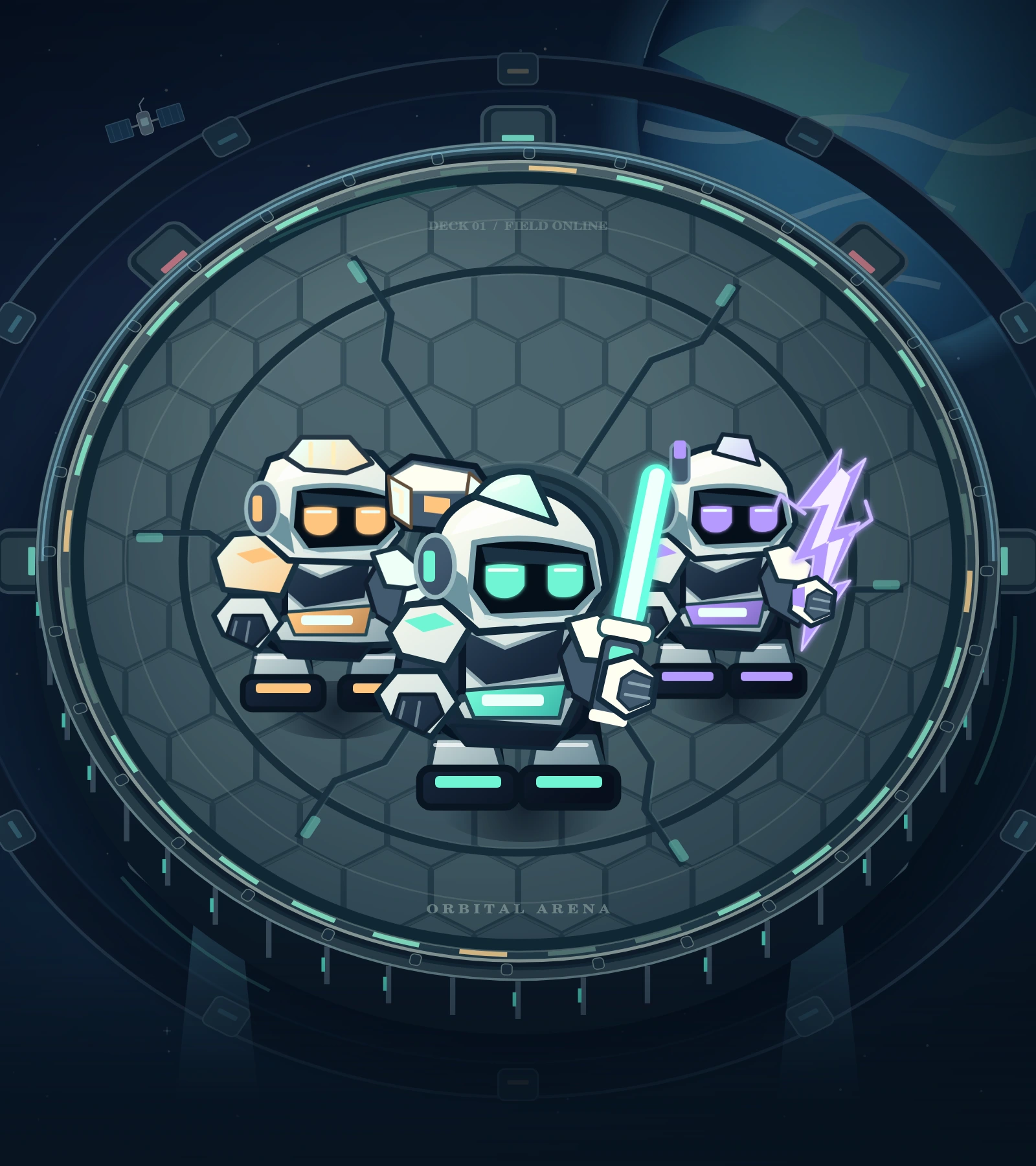
All three bots are available from the start. Change your fighter before your next run; keep separate Mastery for each one.
 BALANCED DUELIST
BALANCED DUELIST
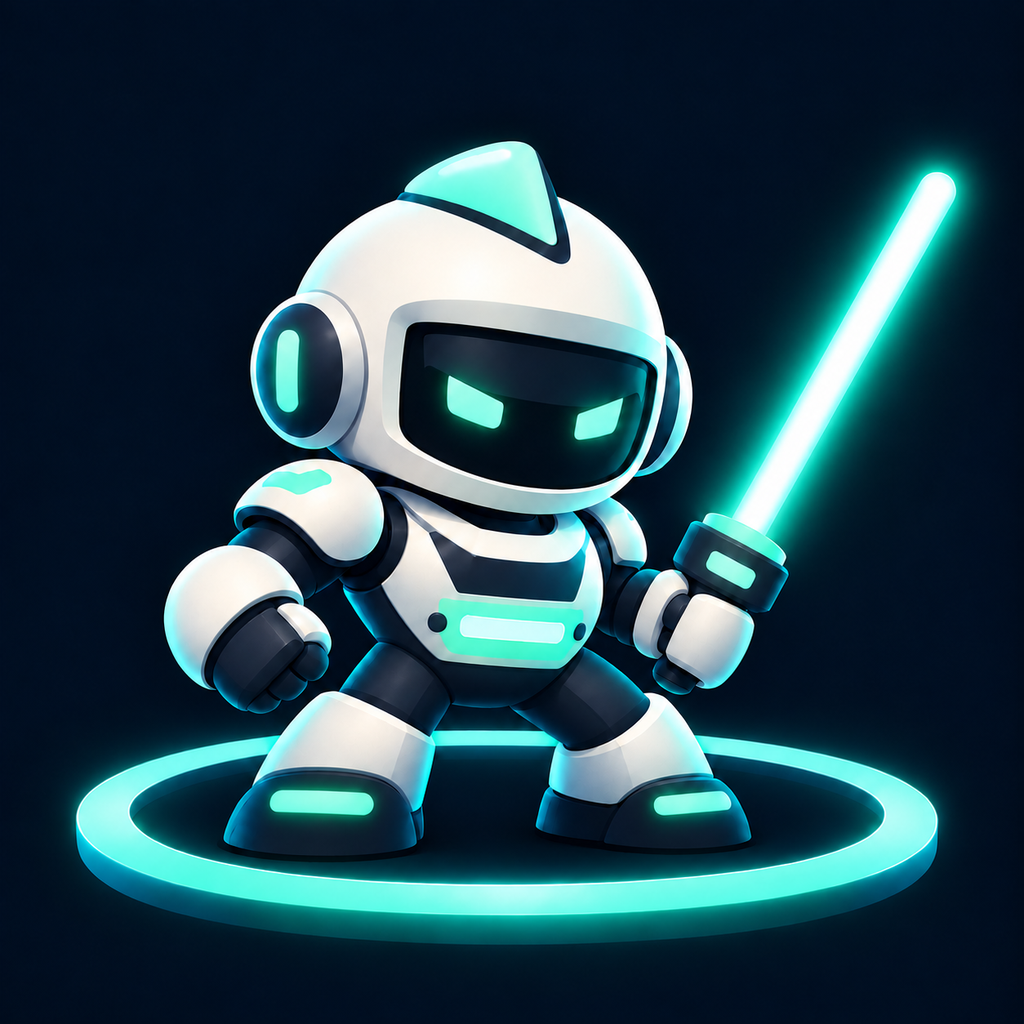
A laser sword. A balanced approach.
A balanced first pick. Its energy blade sweeps a wider arc, catching nearby bots for 65% of the main hit.
Hits nearby enemies for 3.6× your current attack damage. Useful when a group closes in.
Balanced health, movement and attack power.
 AGILE DISRUPTOR
AGILE DISRUPTOR
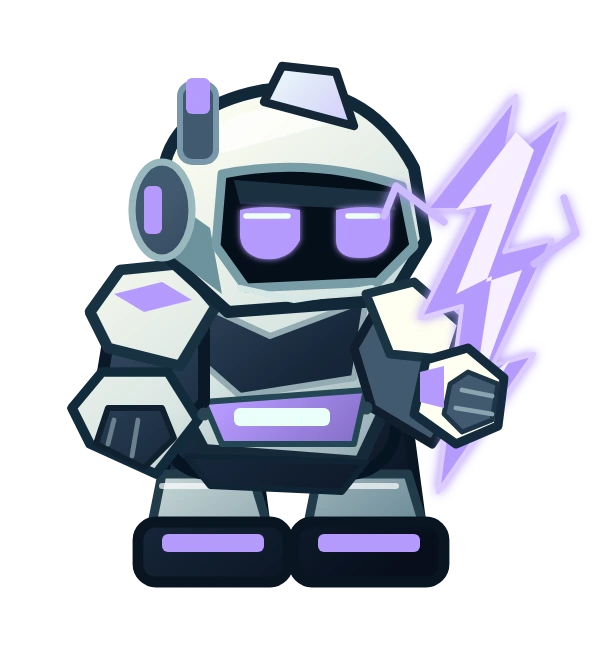
Lightning in hand. Always moving.
The fastest fighter, with quick attacks and the highest base Special charge rate. Lower health rewards careful movement.
Hits nearby enemies for 2.7× attack damage. Stuns ordinary bots for 1.8 seconds; the Warden for 0.45 seconds.
Useful for quick repositioning and frequent Specials.
 HEAVY VANGUARD
HEAVY VANGUARD
Heavy armour. A heavier hammer.
The highest health and strongest normal hit, balanced by slower movement and attacks. Its hammer brings the impact.
Hits nearby enemies for 4.2× attack damage. Adds a 28-point shield that lasts up to 8 seconds.
Useful when you prefer heavier hits and more room for mistakes.
| Fighter | Attack interval | Attack range | Special radius | Charge rate |
|---|---|---|---|---|
| Blade | 0.59 sec | 81 | 135 | 1.00× |
| Volt | 0.46 sec | 73 | 155 | 1.45× |
| Titan | 0.81 sec | 85 | 126 | 0.95× |
All fighters aim at the nearest in-range enemy. Nearby enemies in the forward attack arc receive 65% of the main hit. Blade’s arc is wider. All Specials hit around you, clear nearby bullets, briefly protect you and briefly stun surviving enemies.
PICK UP & PLAY
Your attacks are automatic. Your timing is not.
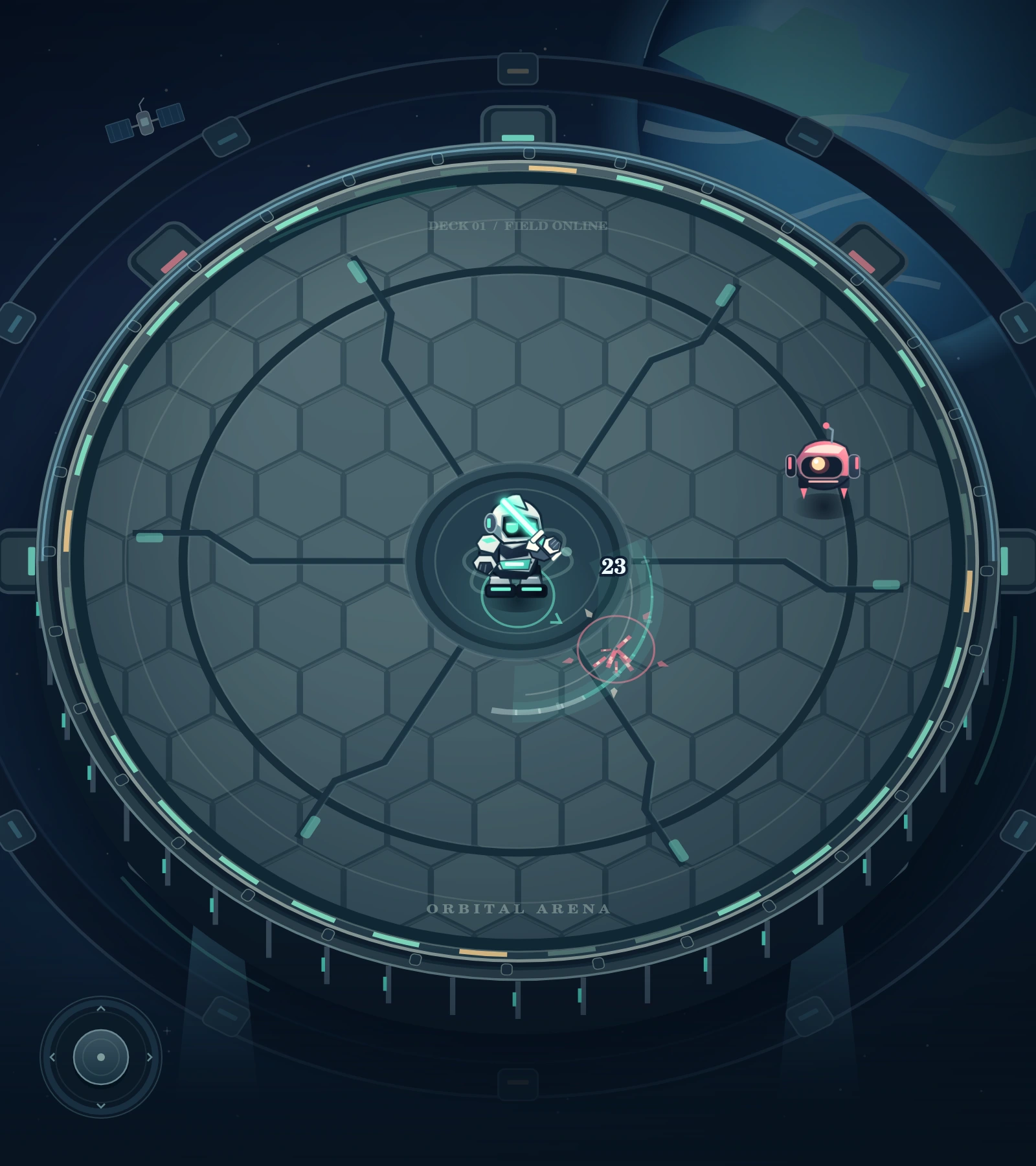
A floating joystick follows your thumb. Keep moving to choose where the fight happens.
Get an enemy within reach. Your bot aims at the nearest in-range target and strikes whenever its attack is ready.
A fast burst with brief damage protection. Pass through enemies. Base recharge: 3 seconds.
Leap over ground attacks. The jump lasts 0.58 seconds, with a 0.82-second cooldown measured from takeoff.
Hits and defeats build charge. At 100%, unleash your fighter’s area attack and clear nearby bullets.
Resume, change settings, read help or end your run and view Results.
Between waves, tap one of three upgrades to continue your run.Space is Jump. E is Special.
THREE WAYS OUT OF TROUBLE
REPOSITION
Break out of a crowd, cross a bullet path or slip through a shockwave. Move to aim your Dash. At rest, it follows your last movement direction.
0.18-second burst · about 0.26 seconds of damage protection · 3-second base cooldown.
CLEAR THE GROUND
Watch the sweeping lasers, expanding rings and marked blast circles. Time your leap so the danger passes while you are airborne.
Ground protection lasts through most of the leap. The final 0.08 seconds are not airborne.
MAKE SOME ROOM
Wait for nearby enemies or bullets, then trigger it. It gives 0.5 seconds of damage protection. Start charging the next one by landing more hits.
Every run starts at 42% charge. Training improves charge gained, not the starting percentage.
| Danger | Jump | Dash | Special |
|---|---|---|---|
| Ground blasts, shockwaves, sweeping lasers | Avoids while airborne | Avoids during damage protection | Brief protection; does not remove the hazard |
| Sentry bullets | Can still hit you | Avoids during damage protection | Clears nearby bullets |
| Normal strikes and charging bots | Can still hit you | Brief protection and a quick escape | Brief protection; hits and stuns nearby enemies |
KNOW THE BOTS

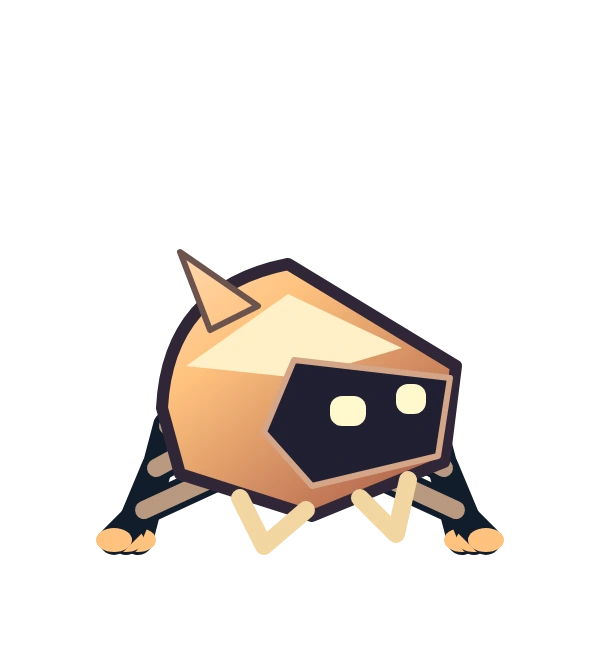
From wave 1
Closes the distance, pauses, then strikes.
Step out of reach during its windup. Jump does not avoid its normal strike.
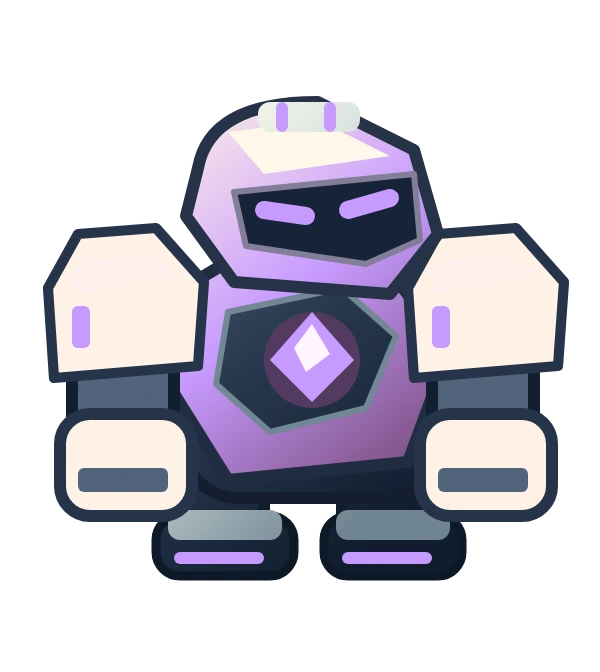
From wave 2
Lines up a fast, straight lunge.
Move sideways after it aims, or Dash through danger. Jump does not avoid the charge.
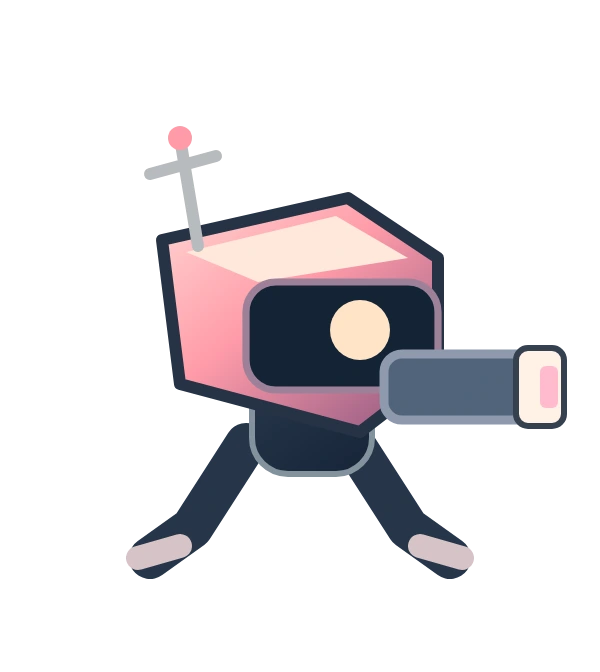
From wave 3
Slow and tough. Marks a nearby ground slam.
Leave the marked circle or time a Jump. Attack while it recovers.
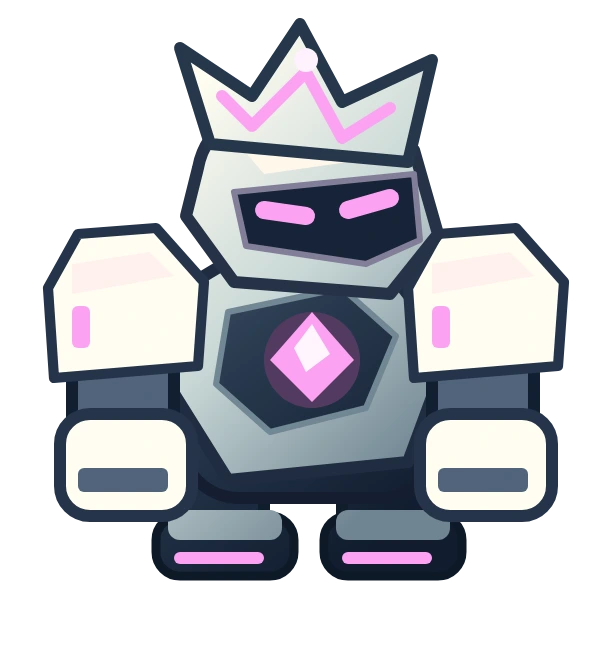
From wave 4
Keeps its distance, aims, then fires. From wave 9, fires a three-shot spread.
Move across its aim. Dash or clear nearby bullets with a Special. Jump does not stop bullets.
 EVERY FIFTH WAVE
BOSS ENCOUNTER
A bigger bot with four patterns to learn. Each later Warden has more health and deals more damage. Below half health, it calls in a Skitter and a Drone and attacks more often.
After wave 5, boss waves also include extra bots. Clear every enemy before the wave counts as complete.
BUILD THIS RUN
After each cleared wave, choose one of three offered upgrades. Eligible choices vary. Repeated picks stack, up to each upgrade’s limit.
Attack damage. Hit harder with each pick.
Attack rate. Spend less time waiting between hits.
Maximum health, and restore 25 health now.
They reset when you start again. Your purchased Training remains.
| Upgrade | Effect | Limit per run |
|---|---|---|
| Power boost | +20% attack damage | 8 picks |
| Quick hands | Attack 16% faster | 6 picks |
| Lightfoot | +10% movement speed | 4 picks |
| Long reach | +14% attack range | 4 picks |
| Second heart | +25 max health. Restore 25 health. | 6 picks |
| Field repair | Restore 45% of maximum healthNormally offered below 72% health. A repair choice is ensured below 38%. | Repeatable (999 picks) |
| Overcharge | +25% special charge gained | 5 picks |
| Event horizon | +18% special radius and +10% special damage | 4 picks |
| Echo strike | +15% chance to strike twiceEach pick adds 15 percentage points; double damage is applied to the attack. | 4 picks |
| Precision | +12% chance to deal 180% damageStarts at 5% critical chance; each pick adds 12 percentage points. | 5 picks |
| Phase armor | +18 shield at the start of every waveWave shield is refreshed at the next wave, rather than carrying leftover shield forward. | 5 picks |
| Slipstream | 18% shorter dash cooldownEach pick multiplies the cooldown by 0.82. | 4 picks |
| Refinement | +6% damage. Restore 8% health.Fallback choice when fewer than three regular upgrades remain available. | No fixed cap |
| Deep reserves | +12 max health. Restore 12 health.Fallback choice when fewer than three regular upgrades remain available. | No fixed cap |
| Renewal | Restore 30% health. Fill your special.Fallback choice when fewer than three regular upgrades remain available. | No fixed cap |
KEEP GETTING BETTER
Earned by clearing waves. Choose one of three. Shape your current build. Reset on the next run.
Buy with saved Coins in the Training bay. Each purchase improves future runs for all three fighters.
+5 starting health per rank
+3% starting damage per rank
+5% Special charge gained per rank
| Training | Ranks 1–5, in Coins | Total |
|---|---|---|
| Reinforced core | 45 / 80 / 115 / 150 / 185 | 575 |
| Power amplifier | 55 / 95 / 135 / 175 / 215 | 675 |
| Flux capacitor | 45 / 80 / 115 / 150 / 185 | 575 |
YOUR RUN, YOUR RECORD
SCORE
Defeated bots earn points. Quick chains increase the enemy-score multiplier. Clear a wave for another 250 × wave number points.
Base points: Drone 50, Skitter 70, Crusher 150, Sentry 110, Warden 1,500.
Every five consecutive defeats adds 0.25× to the multiplier, up to 3×. You have 3.4 seconds between defeats to keep a chain. Being hit, letting the timer expire or clearing a wave resets it. The wave-clear bonus is not multiplied.
COINS
Coins go straight to your run total. Spend your saved balance in Training. You keep earned Coins after losing or ending a run.
Drone and Skitter: 1 Coin each. Sentry: 2. Crusher: 3. Warden: 30.
Each wave clear adds 5 + 2 × wave number Coins, plus 15 more on a boss wave. Clearing wave 5 gives a 30-Coin wave bonus, separate from enemy rewards.
PERSONAL RECORDS
Home shows your high score and best cleared wave. Results also shows the wave you reached, even if you did not clear it.
Results includes run time, enemies defeated, Coins earned, your upgrade build, and Mastery XP for that fighter.
Coins · Training · Mastery XP and Rank · High score · Best cleared wave · Selected fighter and settings
Wave 1 · Full starting health · No run upgrades · New score and run totals · 42% Special charge
WHEN A RUN ENDS
At zero health, the run ends. Open Results, then choose Play again, Change hero or Home. From Home, visit the Training bay and put your Coins to work.
You can also pause and choose End run & view results. You do not have to lose to keep your rewards.
Rewards are banked during play, on wave clears, when pausing and at the end of a run. Progress is local to your device; there is no in-game account or cloud sync.
Closing or restarting the app does not restore an active run. Deleting the app or clearing its data removes saved progress. Keep the app installed to preserve your locally saved progress.
WHAT ARE YOU PLAYING FOR?
Read the warnings. Find space. Defeat the remaining bots.
Buy Training, try another fighter and beat your last score.
Face stronger Wardens, push past your best cleared wave and build Mastery across the cast.
This is an endless arena game. There is no final boss, campaign ending, gear collection or extra character unlock track in the current build.
BETWEEN THE WAVES
A clear roster, focused upgrade choices and a Training bay for permanent progress.
BALANCED DUELIST
AGILE DISRUPTOR
HEAVY VANGUARD
Static interface previews based on the current game design. Example values are shown. These previews are not playable.
QUICK ANSWERS
The details players ask for, without a long search.
Thespesio Arena is made for iOS and distributed exclusively through the App Store. This website is an informational guide and support page. There is no browser version to play or download here.
Move close to an enemy. Your fighter automatically targets the nearest enemy within attack range and attacks when its attack cooldown is ready. There is no attack button.
You control position, timing, Dash, Jump and Special. Automatic attacks let you focus on avoiding danger and choosing when to move in.
While airborne, Jump avoids sweeping lasers, expanding shockwaves and ground blasts, including the Crusher’s slam. Bullets, normal close-range strikes and charging enemies can still hit you. Your normal jump cooldown is 0.82 seconds. Jump cannot begin while a Dash is active.
Dash gives a short burst of movement and brief protection from damage. It also passes through enemy bodies. Move to choose its direction; when standing still, it uses your last movement direction. Its base cooldown is 3 seconds.
Normal hits add charge. Defeating bots adds more. At 100%, the button is ready. Tap the on-screen Special button. A new run starts with 42% charge, and unused charge carries into the next wave.
Every Special briefly protects you from damage, hits nearby enemies and clears nearby bullets. It does not remove ground hazards. Volt gives a longer stun. Titan also gains a temporary shield.
The three upgrade choices after each wave improve only the current run. Training purchases in the Training bay are permanent on that device and apply to all three fighters.
Buy Reinforced core, Power amplifier and Flux capacitor in the Training bay. Coins are credited automatically for defeated bots and cleared waves; there is nothing to pick up on the arena.
Mastery is separate experience for each fighter. It raises that fighter’s displayed Rank. It does not add stats, unlock abilities or make enemies easier.
Yes. All three are available from the start. Use Change on Home or Change hero on Results, then start a new run. You cannot swap fighters during a run.
At zero health, the run ends and the Run complete screen appears. Open Results to see score, wave reached, Coins, defeated enemies, upgrades and Mastery XP. You can play again, change fighter or go Home. Permanent progress remains.
Pause, then choose End run & view results. Your earned rewards are banked. This ends that run. Choosing an upgrade continues straight into the next wave.
A new run starts at wave 1 with full starting health and no run upgrades. Coins, purchased Training, Mastery and personal records remain on the device. Deleting the app or clearing its data removes that saved progress.
Pause to take a break while the game remains open. If the app is closed or restarted, an active run is not restored. Saved Coins, Training, Mastery and personal records remain on the device.
The game’s arena, artwork and sounds are included in the iOS app, so gameplay does not need an internet connection. Progress is saved locally on your device.
There is no final wave in this build. Clear waves, meet the Warden every fifth wave, and see how far you can go. The orbital setting gives the game its world; it does not add a separate campaign.
Yes. Open Settings for Sound effects, Haptic feedback and Reduced motion. Vibration depends on device support. Reduced motion reduces screen shake and cosmetic animation while retaining attack warnings.
For support, feedback or any other enquiry, email hello@thespesio.com. If you are reporting a problem, include your device model, iOS version and a short description of what happened.
SUPPORT & CONTACT
Need help with Thespesio Arena? Have feedback, an idea or another question? Contact us at:
hello@thespesio.comFor a technical issue, please include your device model, iOS version, app version and what happened. A screenshot can help.